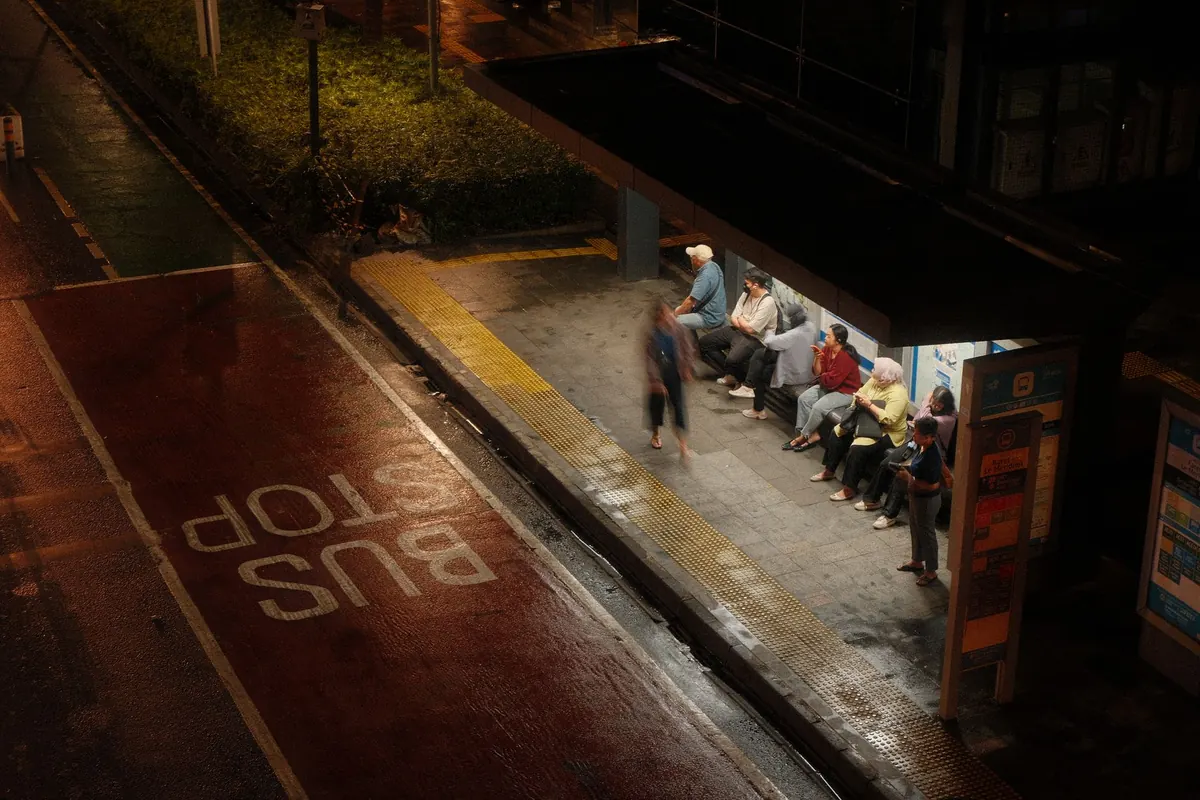
Comparing Public Transit Apps and Timetables: What Actually Helps at Night
The last train is rarely the hard part. The twenty minutes before it is: the bus that may or may not come, the connection that looks fine on paper, the walk from the stop to your door when the streets have gone quiet. At night, transit planning stops being a timetable question and becomes a judgment call. The right tools help you make it with less guesswork.
What each tool is actually telling you
Most transit information falls into three buckets. Official timetables tell you what is meant to happen. Real-time updates tell you what appears to be happening now. Map tools tell you how the pieces fit together, including walking time, transfers and the last feasible connection. None is enough on its own after dark.
A printed or PDF timetable is not obsolete. It is the skeleton of the service: first and last departures, frequency, weekend changes, the routes that stop running earlier than you expect. Real-time apps are the pulse. They are better at answering “is this bus coming?” than “is this journey sensible?” Map tools are the bridge. They are good at showing that the station exit is four minutes from the platform, not one, and that the “quick” transfer involves a long walk.
Imagine you are leaving a friend’s place at 10:40pm. The timetable says the last bus is at 11:05. A live app shows the vehicle idling two stops away. A map tool says the stop is a six-minute walk, but the fastest route cuts through an unlit park. Each tool has answered a different question. The useful decision comes from combining them: leave now, take the lit route, and have a backup in mind if the bus does not move.
Official timetables: the backbone, not the enemy
Late at night, schedules matter more, not less. When service is thin, a missed bus can mean half an hour on a cold corner or no connection at all. The timetable tells you what the fallback looks like. It also exposes the traps that live data often hides: the route that runs only until early evening, the last train that leaves from a different platform, the Sunday schedule that quietly starts on Saturday night.
Use the operator’s own timetable for the route you actually need, not just the line name. Check the direction, the final stop and any note about school days, holidays or seasonal changes. If you are making a connection, give yourself more margin than you would at midday. A ten-minute gap that works in the afternoon can fail at night when one vehicle is late and the next is not due for a while. Keep a screenshot of the last few departures before you leave. It sounds old-fashioned; it is also reliable when the signal drops underground.
For example, a route listed as “every 20 minutes” may actually mean every 20 minutes until 8pm, then every 40 minutes, with the final trip running only to a short-turn terminal. That detail is often buried in a note or a separate evening timetable. Reading it before you leave is the difference between a predictable journey and a long wait in the wrong place.
Real-time updates: useful, but not a promise
Real-time apps are at their best when they show a vehicle moving toward your stop, with an update that changes as it gets closer. They are at their worst when they simply repeat the timetable in a more confident font. A countdown that stays stuck on “4 min” for ten minutes is not live information. It is decoration.
Read the app critically. Does it show the vehicle’s position, or only an estimated arrival? Is the data coming from the operator, or from a third party? Does it distinguish between scheduled and live times? If a bus disappears from the map, that does not always mean it is not coming; tracking can fail. If it shows “due” and then vanishes, have a plan B. At night, treat live updates as a strong hint, not a contract. Check the vehicle’s direction before boarding, especially at stops served by multiple routes in both directions. The wrong bus at 11pm can be more than an inconvenience.
Map tools: the part that gets you to the stop
Map tools earn their place by joining the dots between transit and walking. They show the exit, the crossing, the side of the road and the actual distance to the platform. That matters more at night, when a shortcut through a quiet park looks different than it did at lunchtime. Use the walking estimate as a starting point, then add time for dark streets, weather and the fact that you may not want the shortest route if it is poorly lit.
They are also useful for comparing options: one route with a longer wait but fewer changes, another with a tight connection that saves five minutes. At night, the calmer option usually wins. A map tool can show you the last viable connection, but it cannot tell you whether the platform feels safe or whether the station entrance is open. Check those details with the operator or station information when they matter.
Consider a station where the map shows two entrances. One is a two-minute walk from the bus stop but closes at 9pm. The other is six minutes away and stays open later. A map tool might highlight the closer entrance by default; the timetable or station page may reveal the closure. At night, that small piece of official information can save you from arriving at a locked door.
A four-step routine for late journeys
The most useful system is not a single app. It is a short routine you repeat until it becomes automatic.
- Check the skeleton first. Look at the official timetable for first and last departures, frequency and any night or weekend variation. Note the last two options, not just the one you hope to catch.
- Confirm the live picture. Open a real-time app shortly before you leave. Check that the vehicle is tracking, that the direction is right and that the arrival is still plausible. If it is not, move to the fallback.
- Plan the walk and the connection. Use a map tool to see the exit, the crossing and the real walking time. Add a buffer at night. If the connection is tight, choose a later, simpler route.
- Set a decision point. Decide in advance when you will stop waiting: if the bus is not there by a certain time, or the app loses the vehicle, you take the next option. A decision point prevents the slow drift into stranded.
When things go wrong: the fallback plan
Night travel needs a plan for the moment the app is wrong, the last bus is full, or the station entrance is closed. The fallback does not need to be elaborate. It needs to be something you have already checked: a night bus on a nearby corridor, a licensed taxi number saved in your phone, a ride-share pickup point you know is well lit, or a walking route you would be comfortable using alone. Decide which option you will use before you need it, and set a limit on how long you will wait for a vehicle that is not showing up.
Keep your phone charged and carry a backup payment method. A dead battery turns a simple delay into a bigger problem, especially if tickets are digital. If you are travelling with someone, agree on a meeting point in case you get separated. If you are alone, share your trip with someone you trust and tell them when you expect to arrive. These are small habits, but they reduce the mental load when the plan starts to slip.
The best fallback is not the most clever one. It is the one you have already checked, can afford and can reach without relying on the app that just failed you.
Night-specific details worth checking
Some details matter far more after dark than they do at rush hour. They are easy to overlook because they sit outside the main arrival time.
- Station access: Check whether your entrance, exit or interchange is open late. Some stations close one side after a certain hour, adding a walk around the block.
- Frequency collapse: Look for the point where “every 15 minutes” becomes “every 30” or “hourly.” That transition is where missed connections happen.
- Last-trip notes: The final departure may run only to a short-turn stop or require a change that is not obvious from the route map.
- Replacement buses: Late-night engineering works can move your stop or add a slow bus segment. Check service updates before you leave.
- Walking conditions: A six-minute walk can feel much longer in rain, snow or darkness. Add time and choose the lit route when you can.
The human backup apps cannot replace
Apps are good at data. They are less good at context. Station staff, operator social media accounts and local alerts can tell you about a closed entrance, a cancelled last service or a safer waiting area. If you are unsure, ask. A quick question at a ticket office or to a staff member on the platform can be more useful than refreshing a countdown that has stopped changing.
It also helps to know your own limits. If the last connection leaves you with a twenty-minute walk through an area you do not know well, the cheaper transit option may not be the better one. A slightly earlier train, a shorter wait in a busier place or a different route with more frequent service can be worth more than saving a few minutes. At night, the best plan is the one that gets you home without turning a small delay into a large problem.
Photo: Dwi Setyo / Pexels

Fact-Checking Local Rumors: A Step-by-Step Guide for Neighbors
Most neighborhood rumors are half-truths passed through too many hands. A practical guide to checking them...

Museum and Gallery Nights: A First-Timer’s Guide to Late Openings
A practical first-timer's guide to evening museum and gallery openings, from choosing the right kind of...
About Us